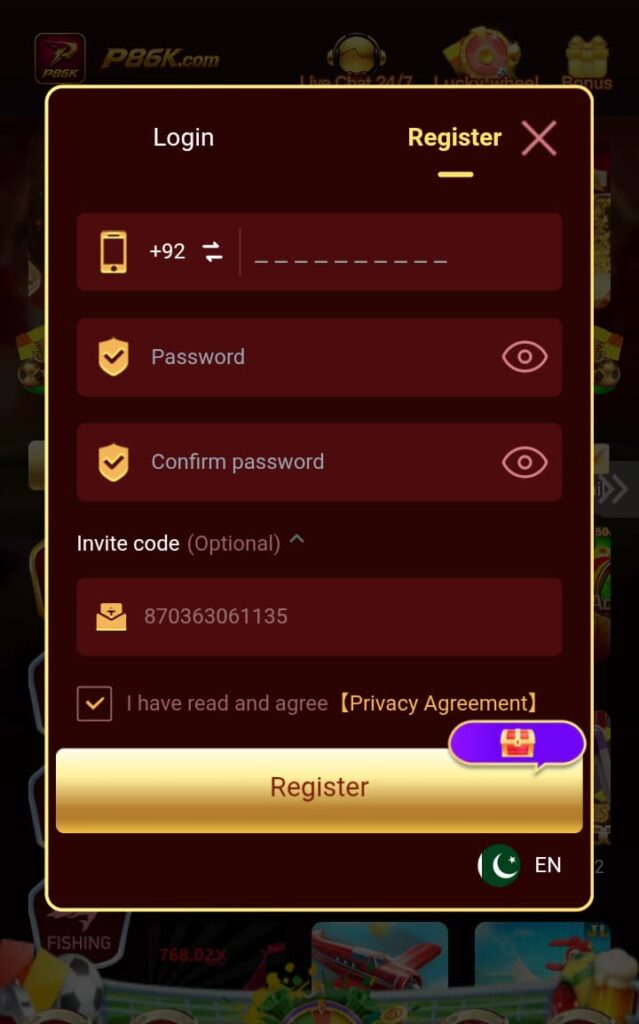
Sign Up For an Account on P86K Game
To sign up for an account on P86K Game, follow the given steps;
- First of all, open the P86K Game app and click the Sign Up option on the main screen.
- A registration form will appear that needs your basic information to create an account.
- Enter your phone number or email address, and set a strong password.
- Make sure that your entered details are correct, and your password can never be leaked.
- After all this, click on the Submit option to submit your details.
- Now you may receive an OTP code through SMS and enter this code for verification.
- After this verification, your account will be created successfully, and you can use this app without any worry.